
Skucast › Findability
Every store, every product, every save
What happens
when you press save.
The search work is part of the product record, not a plugin you buy later.
On most stacks, getting a product found is a second project: an SEO app, an image tool, a schema plugin, a sitemap generator, and a person who remembers to run them. In Skucast it is the same save that put the price on the shelf label. Here is the whole list of what that one save does.
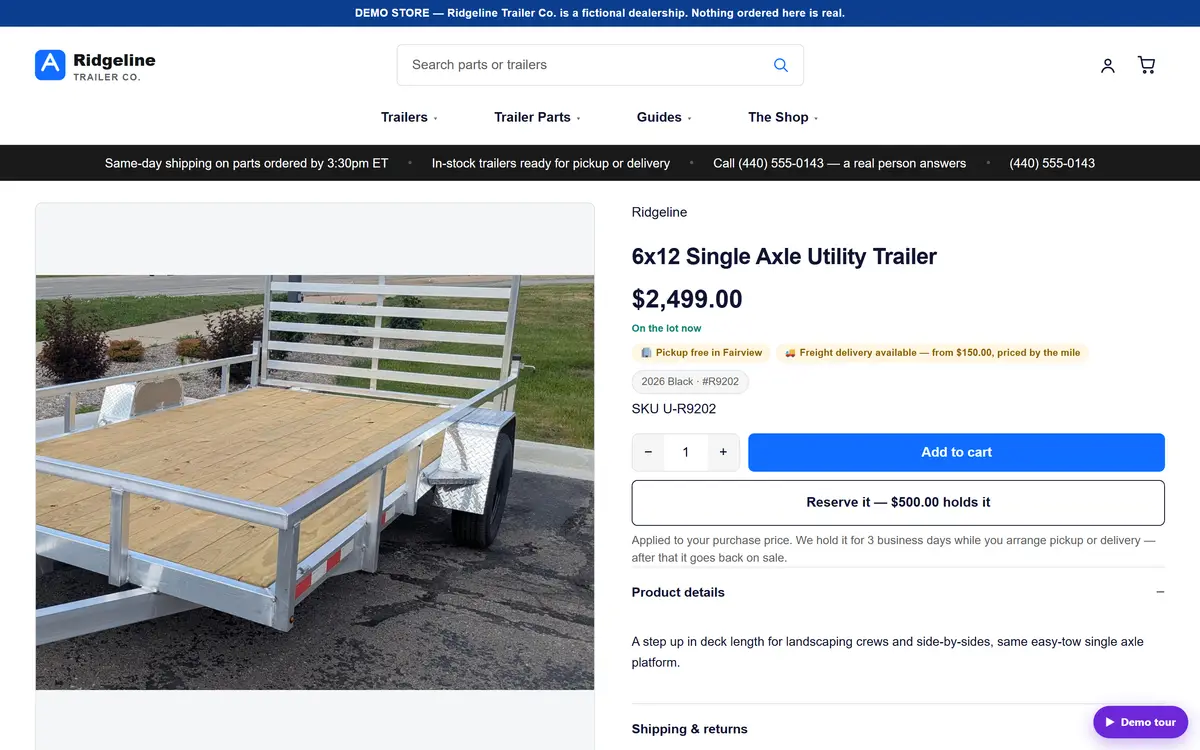
The page a shopper lands on. Everything a search engine reads about it came off one record.
One save
Nine Things That Happen Without Anybody Asking
No publish step, no queue, no export. The moment the record is saved, the storefront serves the page below and the feeds read the same rows.
- Title tag and meta descriptionThe page title and the snippet under it are fields on the product, not guesses stitched together at render time. The product title is the page’s own heading; the title tag is what a search result shows and what the feed carries, so the two can be different on purpose without drifting apart by accident.
- A canonical URLOne address is the real one. Filters, sort orders and tracking parameters point back at it instead of competing with it for the same shopper.
- Product structured dataName, brand, SKU, images, description, availability and price go out as schema.org Product markup, with a real Offer for a single price and a genuine price range only when there actually is one. Ratings are emitted only where real reviews back them.
- Breadcrumbs a search engine can readHome, then the collection the product sits in, then the product. The same trail a shopper sees at the top of the page is the trail printed into the structured data underneath it.
- Local business markup on the siteName, address, phone and the opening hours you edit in settings go out as LocalBusiness and Organization markup, from the same rows that print the hours line on the page. A local signal with no address is noise, so the site will not publish one without it.
- Image alt text and honest filenamesEvery product image carries alt text and a descriptive file name. Where alt text is missing, the system writes it from what it actually knows about the product — and where you have written your own, it is never overwritten. A part number is not alt text: screen readers and search engines both read that field.
- The sitemapProducts, collections, guides and CMS pages roll into the site’s own sitemap, with the things that should not be indexed left out of it. Nobody regenerates a file, and nobody re-submits one.
- Collections, menu placement — and a warningThe editor shows the menu paths a shopper would take to reach this product. If none of its collections sit anywhere in the site menu, it says so out loud: “Nothing on the site links to this.” A page nothing links to is a page nothing finds.
- Guides and questions, linked to the partsThe store’s how-to guides are indexed alongside the catalog, so a shopper who searches a symptom rather than a part number gets the parts that fix it and the guide that explains it — instead of an empty result page.
Written where the product lives
Titles, descriptions, collections and menu paths are edited on the product, not in a separate SEO app that holds its own copy and needs its own sync. There is one place to look and one place to be wrong.
The same record feeds the channels
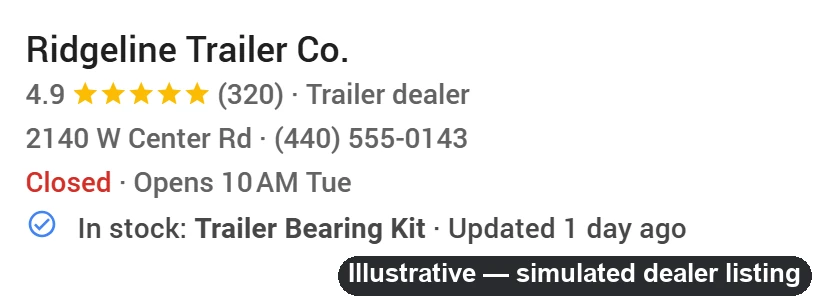
What the page says and what Google Shopping, Local Inventory, Meta and Bing are told come from the same rows — so a price change or an out-of-stock flag cannot be right on one and stale on the other. The local feed is what puts a live in-stock line on your listing in Google’s local results.
The placement guard
If Nothing Links To It, The Editor Says So
The most expensive product page in retail is the one that exists, is priced correctly, is in stock — and is reachable only by typing its exact name into the site search. Every catalog has them, and nothing normally tells you.
- “Shoppers find it here”The product editor prints the actual menu paths that lead to this product, ticked where the path is live.
- A path that is hidden right now, and whyIf a collection has nothing in stock, the menu drops it — and the editor tells you that is why the path is greyed rather than leaving you to guess.
- Collections you chose, and collections added by ruleManual collections and the ones a smart rule added are listed separately, so an automatic placement never looks like a decision somebody made.
- Not on the website right nowIf a product is not sellable on the storefront, the editor names the reason rather than showing a page that quietly is not there.
This is not a report you run at the end of a quarter. It is a line in the product editor, on the screen where the mistake gets made.
After the save
Then The Store Tells You What Shoppers Actually Did
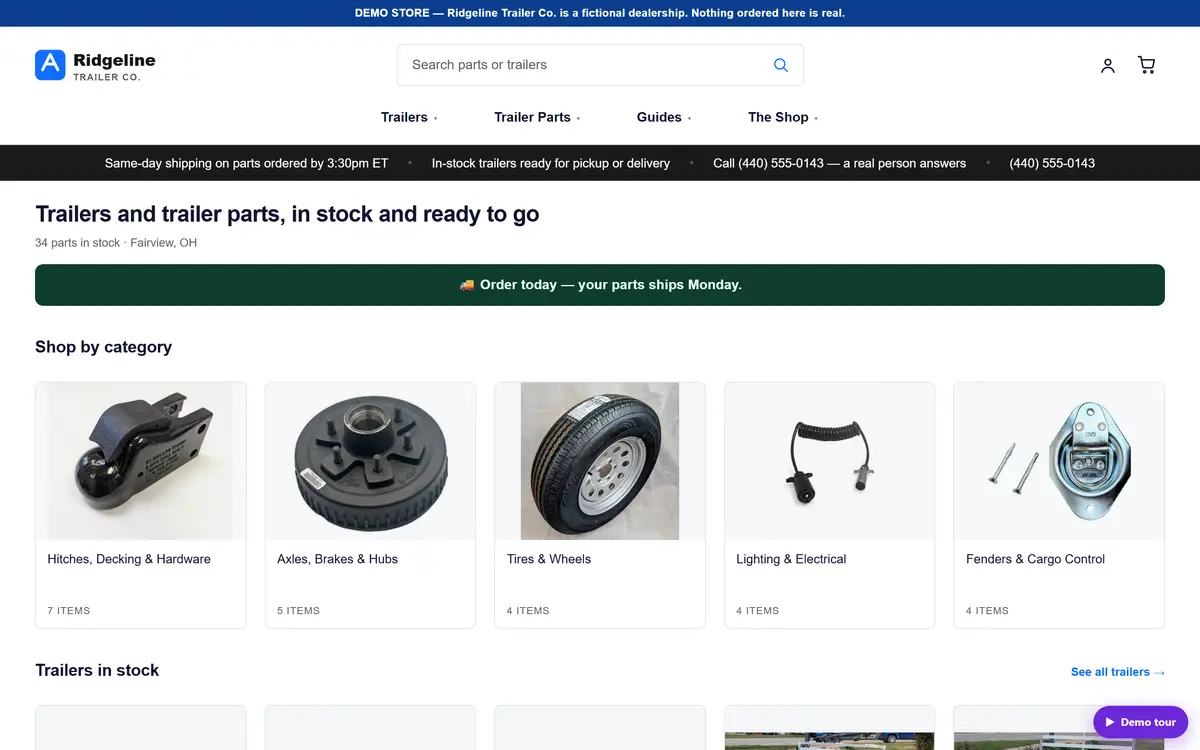
Publishing a page is the easy half. The half that makes money is knowing what people typed, what they were shown, and where they stopped. All three are screens in the same system — not a separate analytics subscription with its own definition of a session.
Site-search insights
What shoppers typed into your own search box and what happened next: zero results, clicked nothing, or found a wall. A zero-result query for something you actually stock is a bug report, not routine maintenance — usually a naming problem you can fix in the product title in a minute.
Storefront analytics
Sessions, what was viewed, what was added, and what was bought — measured on your own storefront, sitting on the same page as revenue trend, mix by department, sales by channel and top products.
Cart recovery
The stage before an order exists: a cart that was filled and left. Recovery reaches out on the contact details the shopper gave, and only where consent allows it — that rule never bends for a sale.
And the reviews stay yours
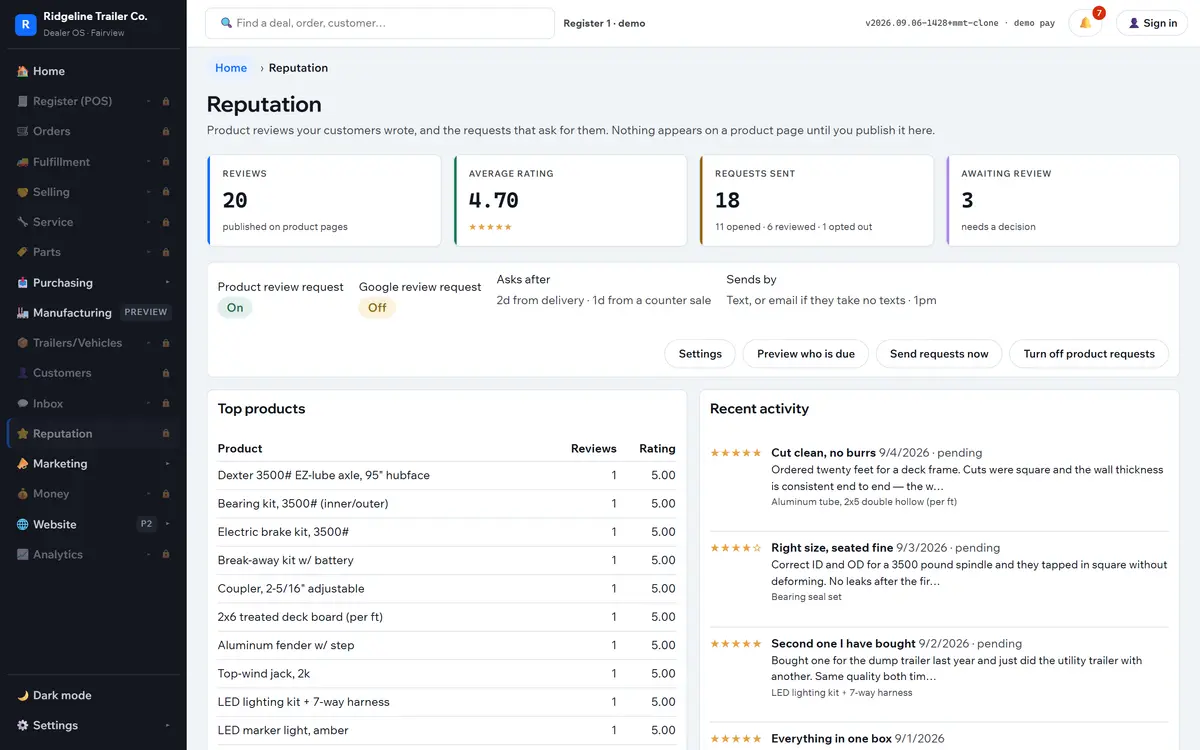
Reviews are published on your own product pages and moderated in the same system — approve, reject, or answer as the owner. The star ratings that show up in a search result come from your own pages, so the search value accrues to your domain rather than to a rented widget on somebody else’s.
- Ratings only where they are realRating markup is emitted only when genuine reviews back it. A fabricated rating is a structured-data violation that can cost the whole site its rich results.
- The request goes out on its ownA review request follows the delivered order, and the funnel — sent, opened, reviewed — is visible so you know whether it is working.
Being straight about it
What This Is Not
Nothing above is a ranking promise. What Skucast removes is the whole category of reason a good product page fails for a boring mechanical cause.
It is not a ranking guarantee
Nobody can sell you one. What the system guarantees is that the page is complete, correct, linked, described and in the sitemap the day you saved it.
It is not a content team
A good product description is still yours to write. The system will tell you where one is missing and will not let a SKU stand in for a title or for alt text.
It is not a separate subscription
There is no SEO app, no schema plugin, no sitemap tool and no review widget to buy, install, configure and then keep in step with the catalog.
See it on your own products
Save One Product And Watch Where It Turns Up
In a demo we will take a product out of your own catalog, save it once, and then open the page, the structured data, the sitemap entry, the menu path and the shopping feed row it produced. It takes about four minutes.
Simple monthly plans — contact us for details. Setup includes catalog import, your storefront, and your feeds registered with each channel.